
One turnover day, three screens
Follow Sofia, Maya and Lina through 14 September at Tiny House Apeldoorn — the same demo you can try yourself.
The day in short
Sofia checks out. The Kowalski family arrives the same afternoon. Maya runs the stay from the host dashboard. Lina cleans in the gap — with times, extras and notes already on her board.
Guest
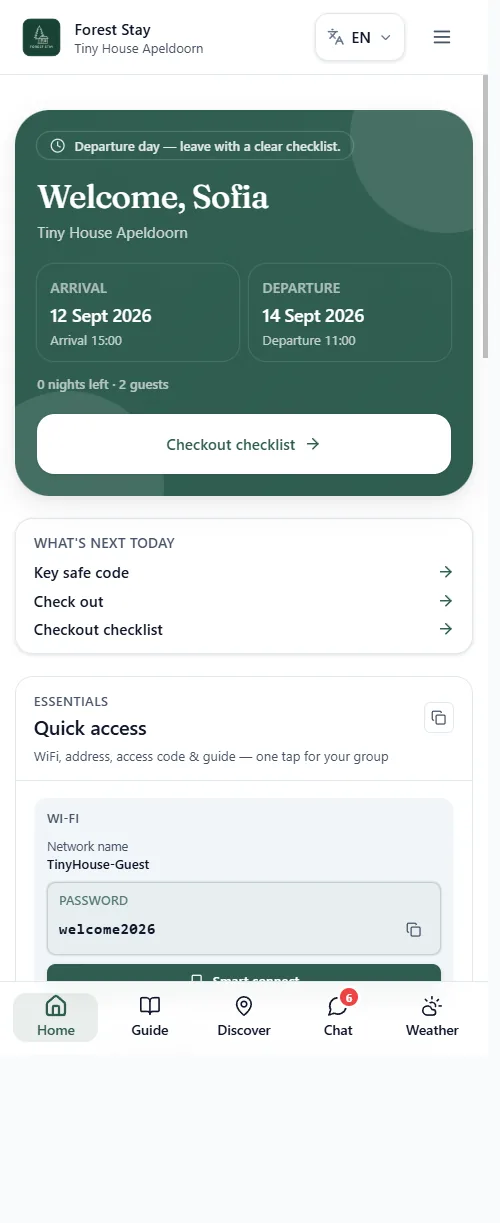
Sofia opens a private link on her phone. No app, no login — Wi-Fi, nearby tips and chat are already there.
Step 1 · Guest home
01Everything for the stay in one screen
On checkout day the portal leads with a clear banner, the dates, and a short list of what is left to do. Wi-Fi is one tap away — the same codes for the whole group.
- 1Departure day is obviousSofia sees she leaves today, with arrival and departure times, without hunting through emails.
- 2Wi-Fi without askingNetwork TinyHouse-Guest and the password sit on the home screen, ready to copy.
- 3A short list for todayKey-safe code, check-out and the checkout checklist — only what is still relevant.
Step 2 · Local guide
02Nearby, with real photos and walking time
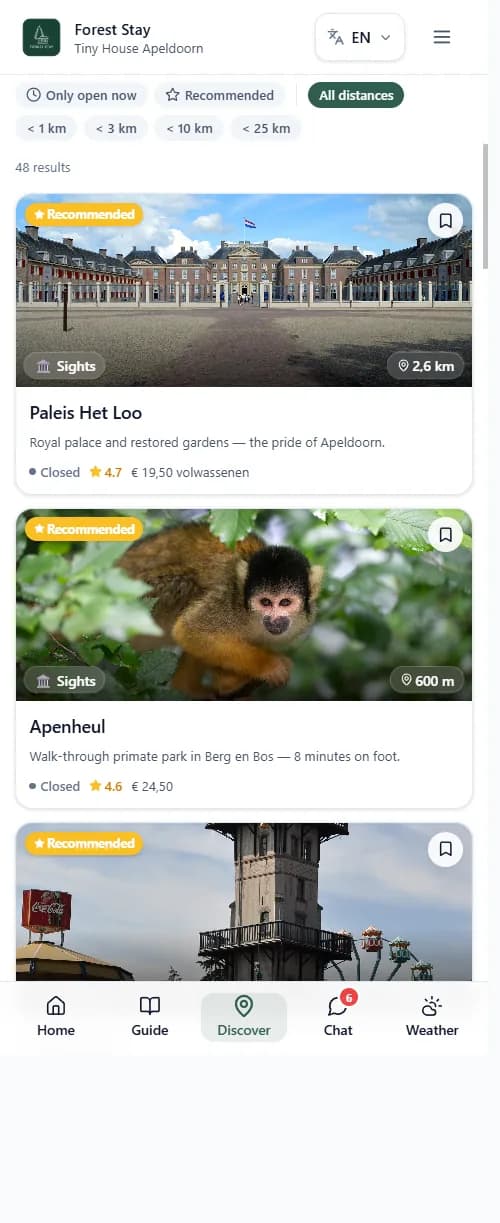
Discover is not a generic map dump. Recommended places around Apeldoorn show distance, opening status and a short why — in the guest’s language.
- 1Filter what is useful nowOpen now, recommended, or a walking radius — so last-morning plans stay realistic.
- 2Local, not genericPaleis Het Loo and Apenheul are the real neighbours of this tiny house, with photos.
- 3Still the same portalGuests stay in the Forest Stay app. No extra download, no new login.
Step 3 · Chat
03A late checkout becomes a clear plan
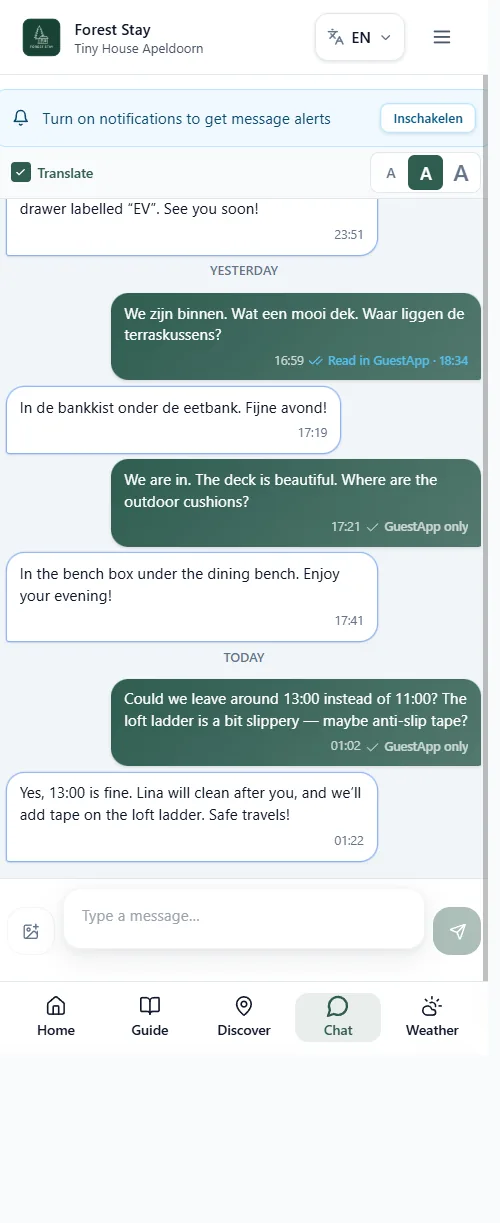
Sofia asks to leave at 13:00 instead of 11:00, and mentions the loft ladder. Maya answers in the same thread: yes, Lina will clean after, and anti-slip tape will be added.
- 1One conversationNo WhatsApp mix-up. The booking, the stay and the messages stay together.
- 2Translate if neededGuests and hosts can write in their own language; the other side can read a translation.
- 3Cleaning is in the loopThe 13:00 time and the ladder note land on Lina’s board — not only in Maya’s head.
Host
Maya sees what needs a reply, who is leaving and who is arriving — then the public site where new guests book.
Step 4 · Host dashboard
04What should I do now?
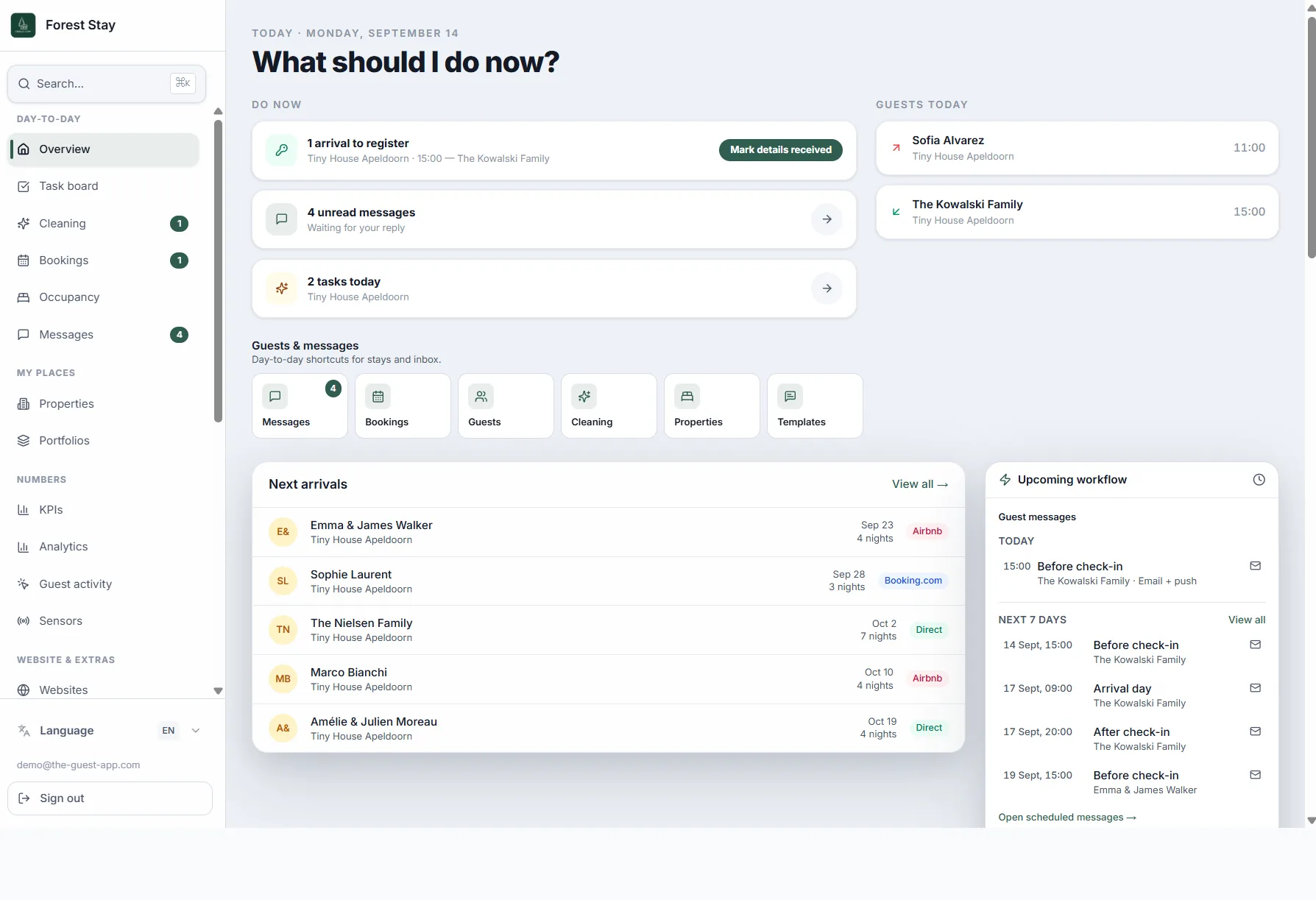
Maya does not start from an empty inbox. The dashboard lists the arrival to register, unread messages and today’s tasks — plus who is on the property today.
- 1Do now, not laterRegister the Kowalskis at 15:00, reply to four messages, finish two tasks.
- 2Guests today at a glanceSofia is still in the house until late morning; the Kowalskis arrive at 15:00.
- 3Messages already scheduledBefore check-in, arrival day and after check-in sit in the upcoming workflow.
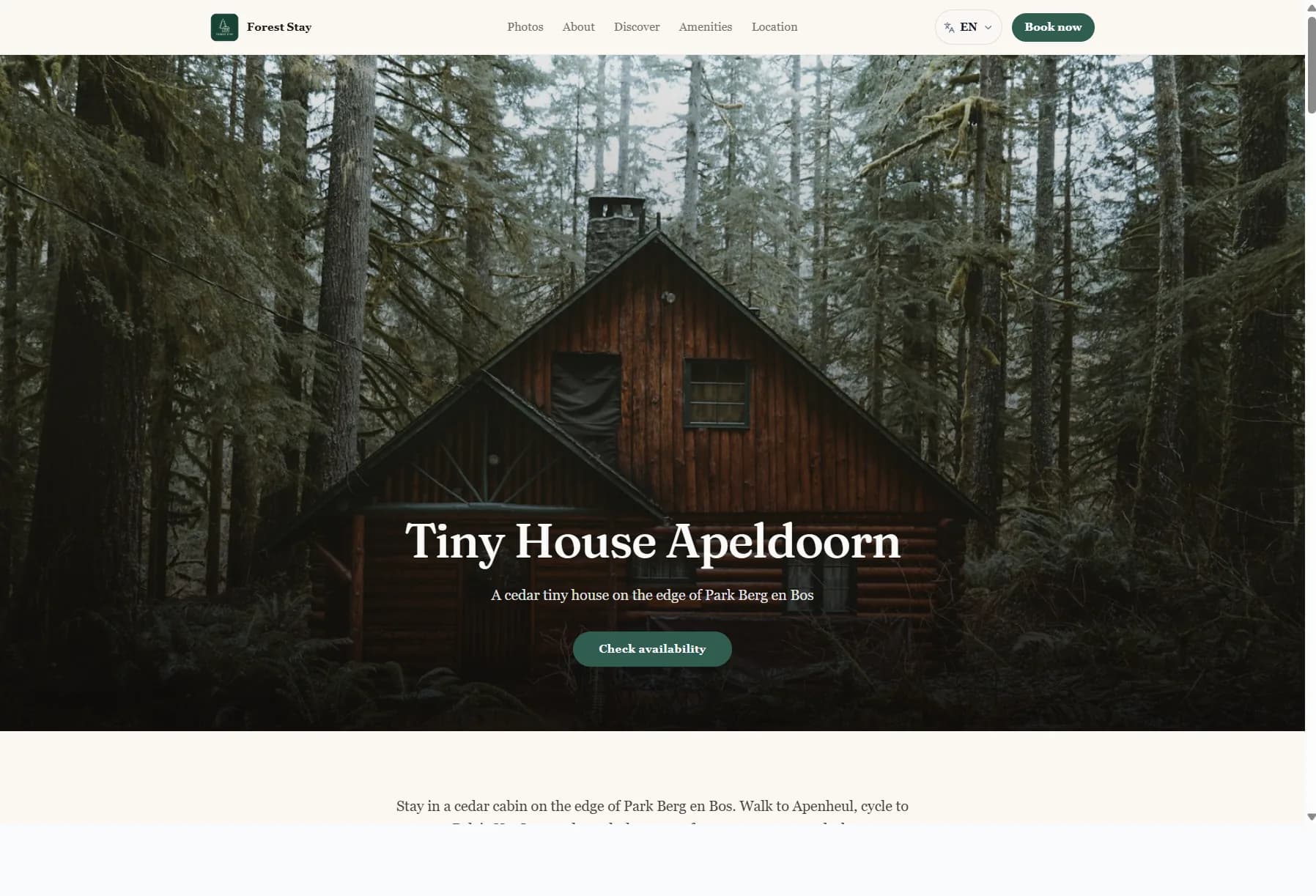
Step 5 · Public website
05The stay has its own booking site
Forest Stay’s public page for Tiny House Apeldoorn is the same brand guests later open on their phone. New visitors can check availability and book without a marketplace.
- 1Your look, your domainPhotos, tone and the Book now button match the host — not a listing template.
- 2Book on the siteAvailability and a direct booking flow, so the reservation lands in the same calendar.
- 3Same story after bookingOnce the stay is confirmed, the guest portal continues with Wi-Fi, chat and Discover.
Cleaning
Lina has her own login on her phone. She sees today’s actions, gets a reminder the day before and in the morning, and can optionally confirm when the clean is done — Maya is notified.
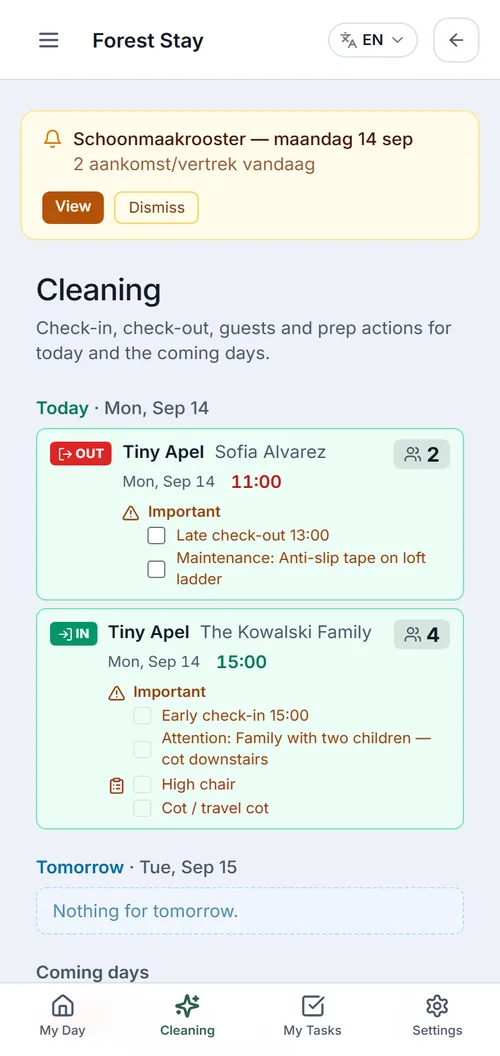
Step 6 · Cleaning on her phone
06Own login, today’s list, optional done
Lina does not use the full host app. She logs in on her phone, sees IN/OUT with clock times, and works through the extras. A reminder goes out the evening before and again in the morning. When she marks the clean as done, Maya can get a notification.
- 1Own cleaner loginA simpler app: My Day, Cleaning, My Tasks. No revenue, websites or settings.
- 2Reminder the day before and in the morningEvening preview of tomorrow; morning roster for today — so she does not have to remember the plan herself.
- 3Actions, then optional doneCheckout times, extras and notes on the list. When she confirms it is done, the host is notified.
Try this flow with your own stay
The Forest Stay demo is a snapshot. In the trial you walk the same steps with your accommodation.
Try this flow with your own stay